
You can go to Menu -> Account Management to add new accounts for the Scanatic™ for Fashion Portal. Only the administrators or users with Account Management permission will be able to create accounts.
First click Add Account -> enter the Name and e-mail address for the new account.
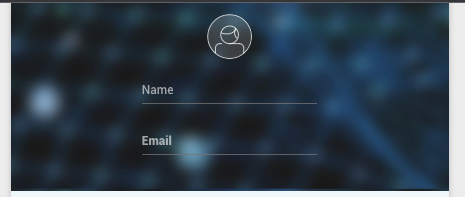
The system will send a verification e-mail to the new account owner with a link to click and confirm. The link is only good for 24 hours. In case the link has expired, you will need to delete the account and re-create it.
1. Licenses remaining: This shows how many licenses are available and how many have been assigned

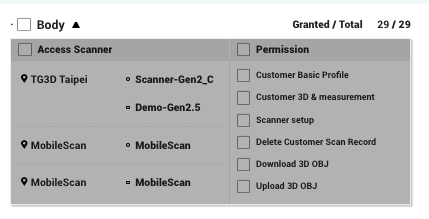
2. You will select the scanner you wish to grant the new user access to and the type of permissions
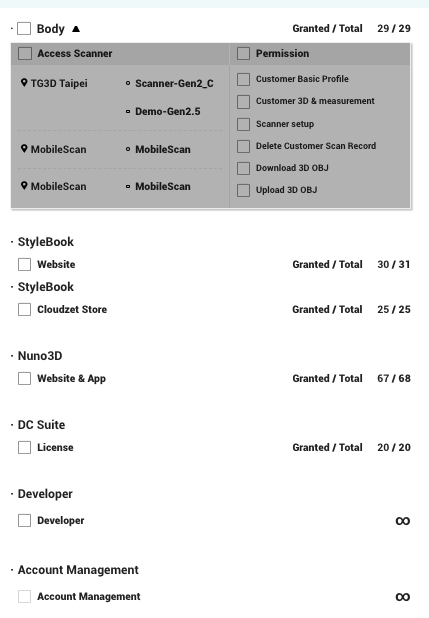
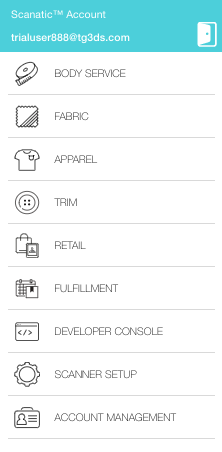
3. License vs. Feature on the main menu
Body -> BODY SERVICE
** If you give Scanner Setup permission, you will see a SCANNER SETUP option on the main menu
StyleBook (Website) -> APPAREL + TRIM + RETAIL+ FULLFILLMENT
StyleBook (Cloudzet Store) -> allows you to log onto the Cloudzet Store App for the iPad
Nuno 3D -> FABRIC
DC Suite -> allows you to log in and activate the Scanatic™ DC Suite Desktop Software
Developer -> DEVELOPER CONSOLE
Account Management -> ACCOUNT MANAGEMENT with Add account function
Comments
0 comments
Please sign in to leave a comment.